
On this page8
- Why Most Google Display Campaigns Fail to Generate ROI
- Audience Targeting Strategies That Actually Improve Display Ad ROI
- Creative Best Practices for Google Display Ads That Convert
- Placement Management and Brand Safety Controls
- Bidding Strategies and Budget Allocation for Display ROI
- Measuring Display Ad ROI Beyond Click-Through Rate
- Conclusion
- Frequently Asked Questions
Table of Contents
Google Display Ads reach over 90% of internet users worldwide, making them one of the most powerful tools available for brand visibility and lead generation. But reach alone does not equal return, and without the right strategy, display campaigns can drain budgets faster than they build pipeline. This guide breaks down the best practices that separate high-performing display campaigns from expensive experiments.
Check out our latest blog on NewsGiga.com: Review 2026: Legit News Site or Link Mill?
Why Most Google Display Campaigns Fail to Generate ROI
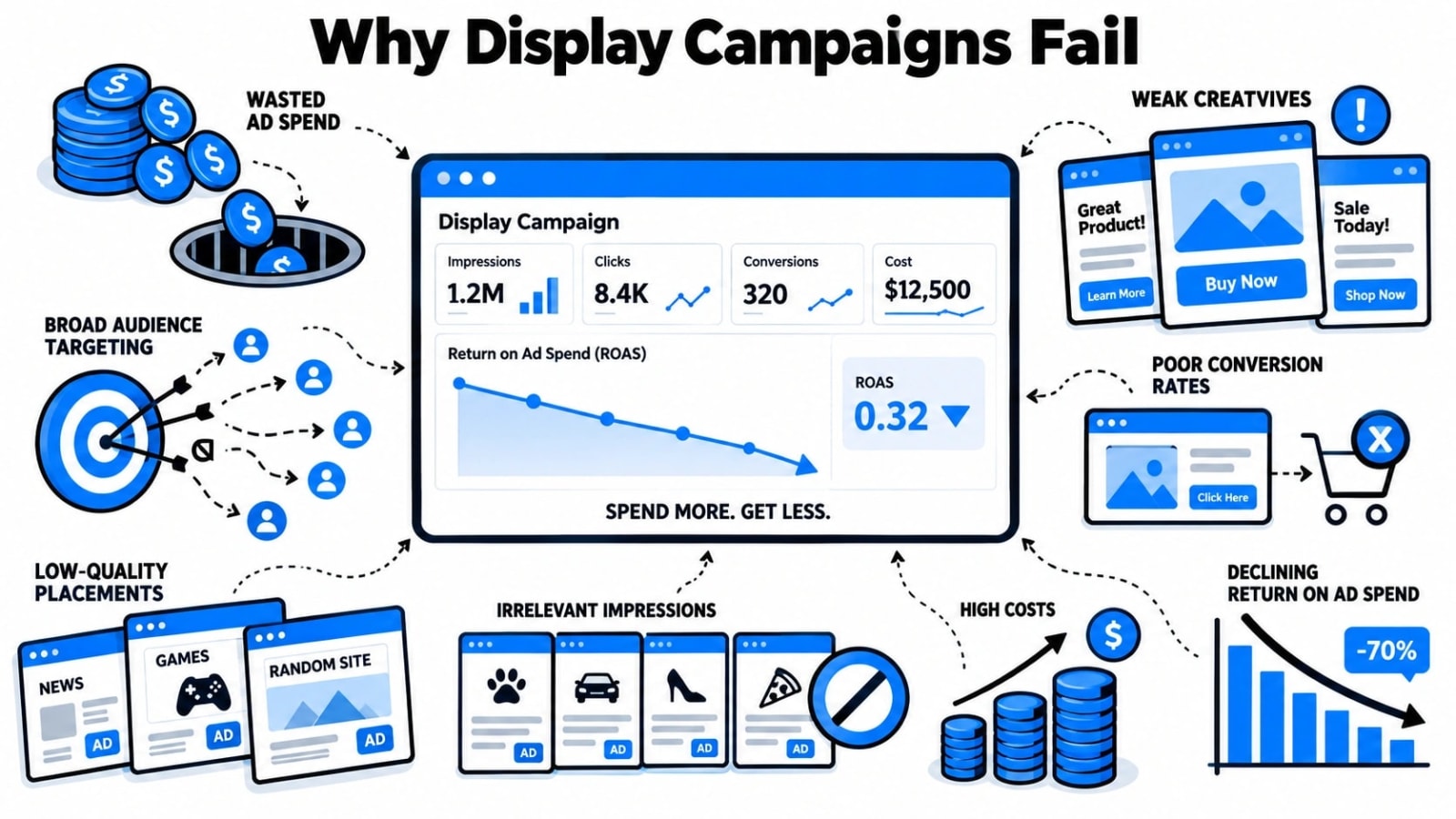
Before fixing a display campaign, it helps to understand why so many fail in the first place. The Google Display Network is vast, and that scale works against advertisers who don't take the time to control where and how their ads appear. Poor targeting, weak creative, and misaligned landing pages are the three most common culprits, but the root cause is usually a lack of structure from the start.
Many advertisers launch display campaigns using Google’s default settings, which are designed to maximize reach rather than maximize results. Automatic placements, broad audience settings, and smart campaigns with minimal oversight often produce traffic that looks impressive in dashboards but converts poorly in reality. Clicks come in, budgets disappear, and conversion data tells a grim story.
Another common failure point is treating display the same as search. Search ads capture intent because users are actively looking for something. Display ads interrupt users mid-browse, which means the creative, audience, and offer all have to work harder to earn attention and action. Advertisers who copy their search strategy into display without adjusting for this fundamental difference consistently underperform.
Finally, a lack of ongoing optimization kills campaigns that might have had potential. Display advertising requires active management, regular exclusion of underperforming placements, creative testing, and audience refinement. Set-it-and-forget-it is not a strategy; it is a way to burn through budget while waiting for results that never arrive.
To understand Google Display Ads Best Practices That Drive ROI, it helps to compare what you see in the data with the actions you need to take next.
Audience Targeting Strategies That Actually Improve Display Ad ROI
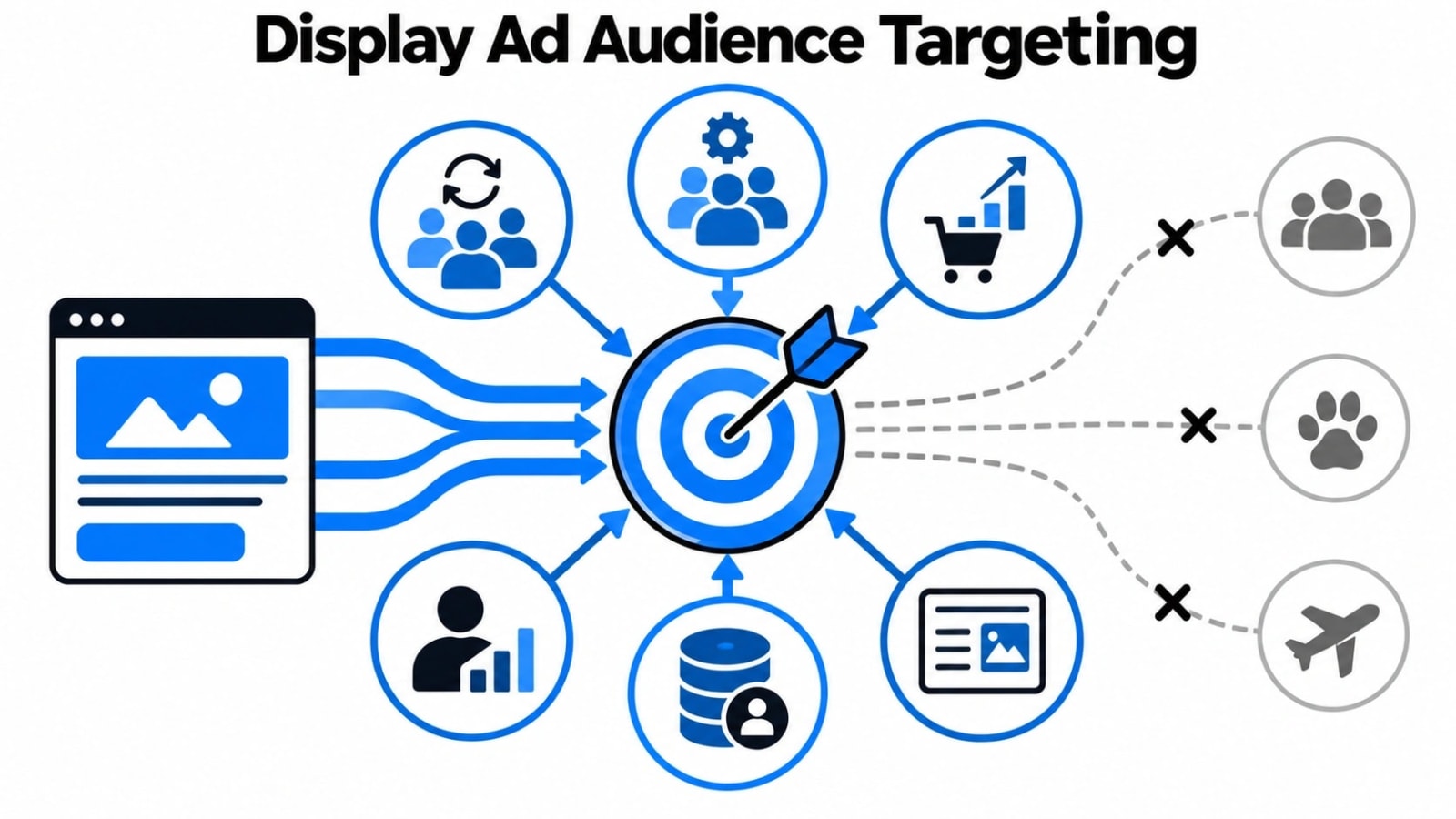
Audience targeting is the biggest lever available to display advertisers, and most campaigns don't use it well. Getting targeting right means your ads reach people genuinely likely to take action, which lowers cost per acquisition and brings ROI into a much healthier range.
Custom Intent Audiences
Custom intent audiences let you build audience segments based on the keywords people have recently searched and the URLs they have recently visited. Instead of relying on broad interest categories, you can define exactly what signals indicate buying intent in your market. For example, if someone has been actively researching competitor tools or category-specific terms, custom intent targeting puts your ad in front of that person while their interest is still active. This type of targeting bridges the gap between display and search intent, which is one of the most effective ways to improve display campaign performance.
Remarketing Lists Done Right
Remarketing is often cited as the highest-ROI display strategy, but execution matters enormously. Basic remarketing that shows the same ad to every past site visitor is a wasted opportunity. The better approach is to segment your remarketing lists by behavior, separating cart abandoners from blog readers, and product page visitors from homepage bouncers. Each segment gets a different message that reflects where they are in the decision process. Someone who spent eight minutes on your pricing page needs a different ad than someone who visited once and left. Segmented remarketing keeps your spend focused on users who have shown genuine interest and tailors the creative to align with what they already know about your offer.
In-Market Audiences and Layering
Google’s in-market audiences group users based on their recent purchasing behavior and research patterns across the web. These are people actively considering a purchase in a specific category, making them far more valuable than general interest audiences. The real power comes from layering, combining in-market audiences with custom intent signals, demographic filters, or remarketing data to build highly specific segments. A user who is in-market for a software product, has visited your pricing page, and fits your target company-size profile is a far more qualified prospect than any single audience dimension can identify. Layering multiple signals tightens targeting precision and significantly improves the spend-to-results ratio.
Audience exclusions deserve equal attention. Excluding existing customers, recent converters, and clearly irrelevant demographics prevents wasted impressions and keeps your budget working toward net-new opportunities. Good targeting is as much about who you exclude as who you include.
Creative Best Practices for Google Display Ads That Convert
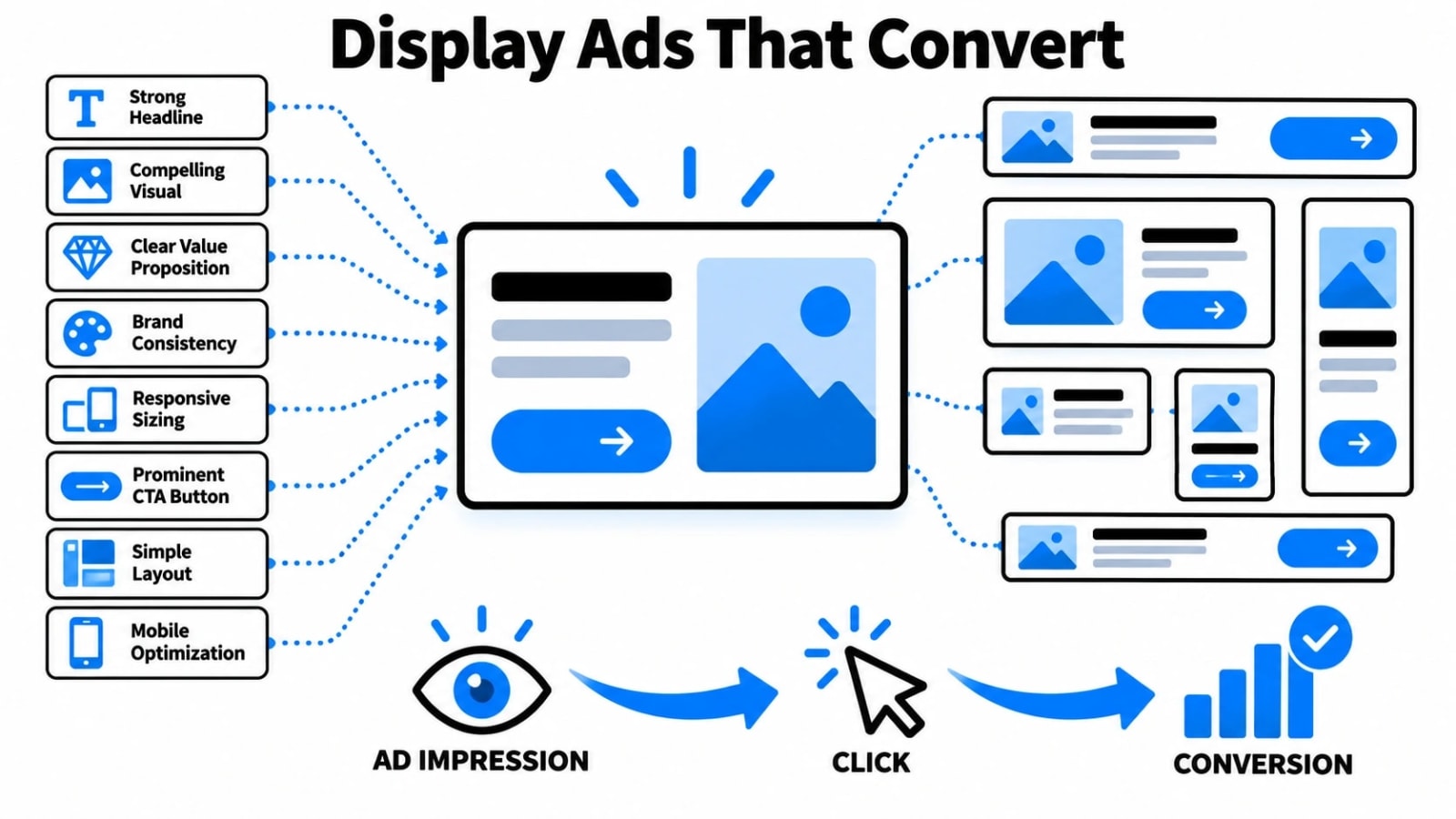
Your targeting can be flawless, but if your creative fails to stop a scroll, your budget disappears without results. The single most important creative principle for display ads is contrast, both visual and contextual. Your ad needs to stand out against the page it appears on, which means bold color choices, clear hierarchy, and a headline that speaks directly to the audience’s problem rather than your product’s features. Generic stock photography and vague value propositions are the fastest way to make ads invisible. Use real imagery where possible, keep your headline under ten words, and make your call to action specific; think “Start My Free Trial” rather than “Learn More.”
Responsive Display Ads (RDAs) are now the default format in Google Ads, and they deserve serious creative attention. Google automatically combines your uploaded headlines, descriptions, images, and logos into different ad combinations, then optimizes toward the best performers. This sounds convenient, but it also means you need to upload strong, varied assets rather than variations of the same idea. Aim to upload at least five distinct images, three to five headlines that approach your value proposition from different angles, and descriptions that address different objections or highlight different benefits. Google’s Ad Strength indicator will guide you, but treat “Excellent” as a floor, not a ceiling.
Animation and video assets consistently outperform static images in display campaigns, particularly for retargeting audiences who have already seen your brand. Short animated ads between six and fifteen seconds tend to generate higher engagement rates without demanding the production budget of full video. Always include your logo within the first 2 seconds and repeat your call to action visually at the end. Below is a quick breakdown of how different creative formats typically compare on key performance metrics:
Creative Format | Average CTR | Best Use Case | Production Complexity |
|---|---|---|---|
Static Image Ad | 0.10% – 0.20% | Awareness campaigns | Low |
Responsive Display Ad | 0.15% – 0.35% | Broad reach and optimization | Low to Medium |
Animated HTML5 Ad | 0.25% – 0.45% | Retargeting and promotions | Medium |
Short Video Ad (6-15s) | 0.30% – 0.55% | Retargeting and brand recall | High |
Placement Management and Brand Safety Controls
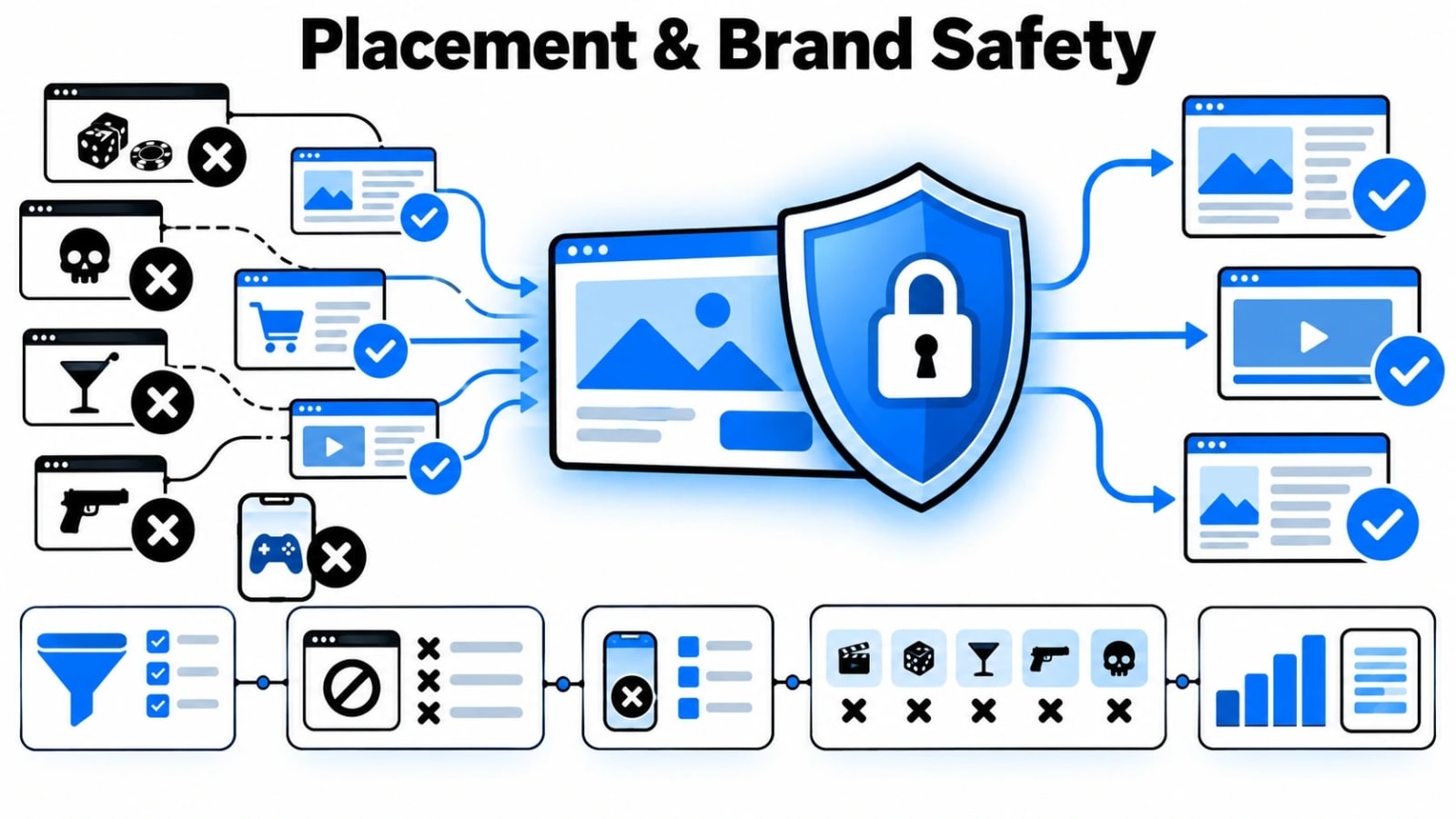
One of the most overlooked drivers of wasted display spend is poor placement management. By default, Google will serve your ads across an enormous range of websites, apps, and YouTube inventory, and not all of it is appropriate for your brand or effective for your goals. Mobile app placements, in particular, are notorious for accidental clicks, especially in gaming apps where users tap quickly and often. Without active placement exclusions, your brand can easily appear on low-quality content farms, parked domains, or apps with zero relevance to your audience. Checking your placement report weekly during the first month of a campaign is non-negotiable.
Google offers several brand safety controls that advertisers frequently underuse. Content exclusions let you block entire content categories, such as sensitive social issues, tragedy, conflict, or sexually suggestive content. You can also exclude specific placement types, including parked domains, error pages, and embedded YouTube videos. For additional control, use account-level placement exclusion lists to automatically block known low-quality sites across all campaigns. If you operate in a regulated industry such as finance or healthcare, add topic exclusions alongside content exclusions to create a stronger safety net.
Managed placements let you target specific websites or apps directly, which works well when you know your audience congregates in particular online communities. This approach pairs well with a tiered placement strategy:
Tier 1 (Managed): High-relevance sites you manually target with higher bids
Tier 2 (Monitored): Auto-placed sites you review weekly and either exclude or promote
Tier 3 (Excluded): Known low-quality placements blocked at the account level
Bidding Strategies and Budget Allocation for Display ROI
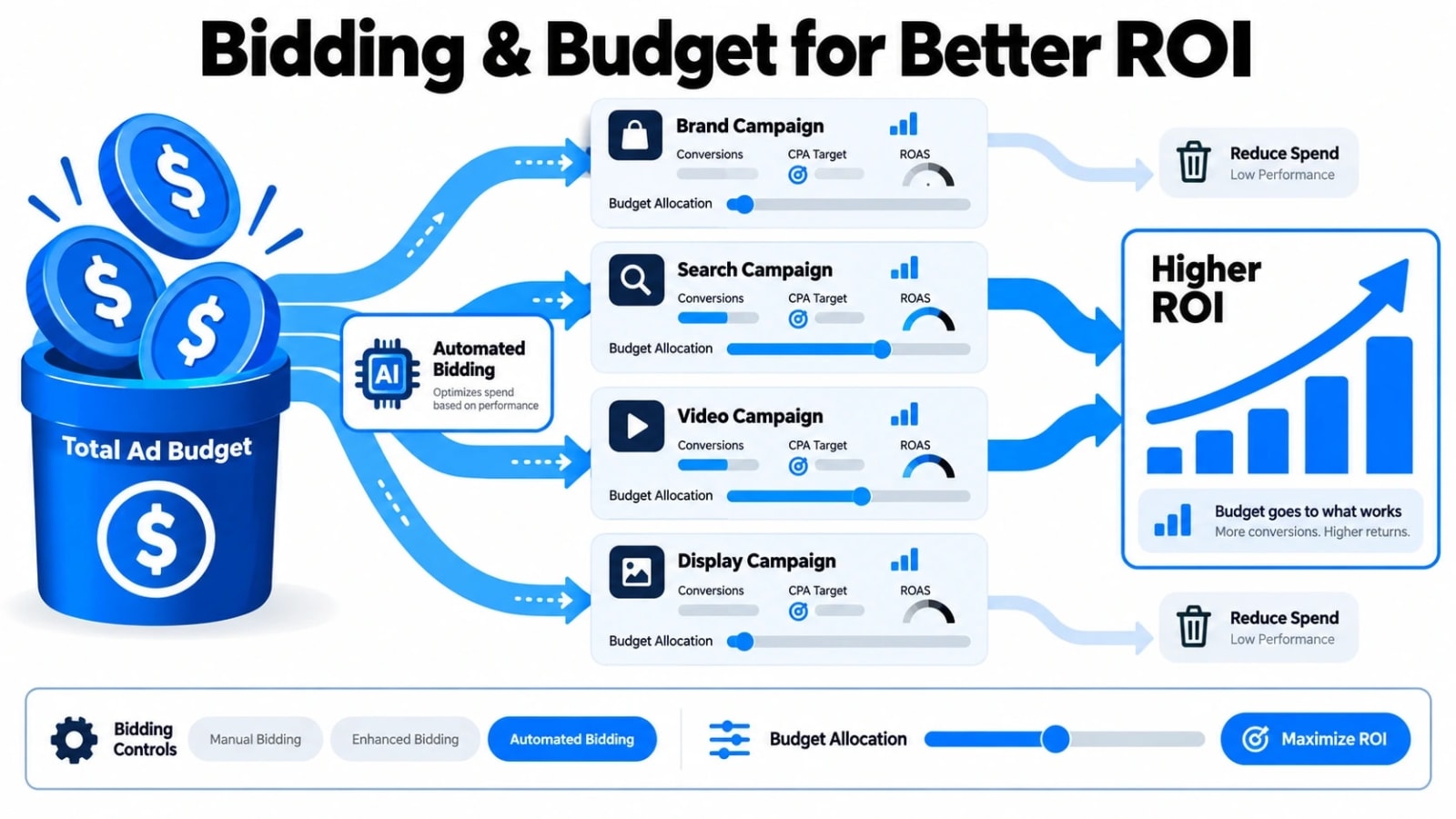
Choosing the wrong bidding strategy is one of the primary reasons display campaigns produce low returns. For campaigns with sufficient conversion data, typically at least 30 to 50 conversions per month, Target CPA or Target ROAS bidding lets Google’s algorithm optimize toward actual business outcomes rather than clicks or impressions.
Google Ads automation can further streamline this process by using automated bidding and conversion signals to adjust campaigns based on performance.
These smart bidding strategies require a two- to four-week learning period, during which performance may fluctuate. Resist the urge to adjust targets or budgets aggressively during this window, as doing so resets the learning phase and delays optimization.
For newer campaigns or those without enough conversion history, starting with Maximize Conversions bidding with a manual budget cap is a safer entry point. This lets Google gather conversion signal data without the pressure of hitting a CPA target it has no baseline for.
Once you have reliable data, transition to Target CPA. Manual CPM bidding still has a place for pure awareness campaigns where reach and frequency matter more than direct conversion, but it should never be used when ROI is the primary goal. Budget allocation should reflect your funnel stage, with awareness campaigns receiving smaller budget shares and retargeting campaigns receiving the largest because intent is highest there.
Splitting your display budget across campaign types by funnel stage is a practical framework that prevents overspending on cold audiences at the expense of warm ones. A commonly recommended starting split looks like this:
Campaign Type | Funnel Stage | Recommended Budget Share | Suggested Bidding Strategy |
|---|---|---|---|
Prospecting (Broad Audience) | Top of Funnel | 20% – 30% | Maximize Conversions or Target CPM |
In-Market and Custom Intent | Middle of Funnel | 30% – 40% | Target CPA |
Retargeting (Site Visitors) | Bottom of Funnel | 35% – 50% | Target ROAS or Target CPA |
Measuring Display Ad ROI Beyond Click-Through Rate
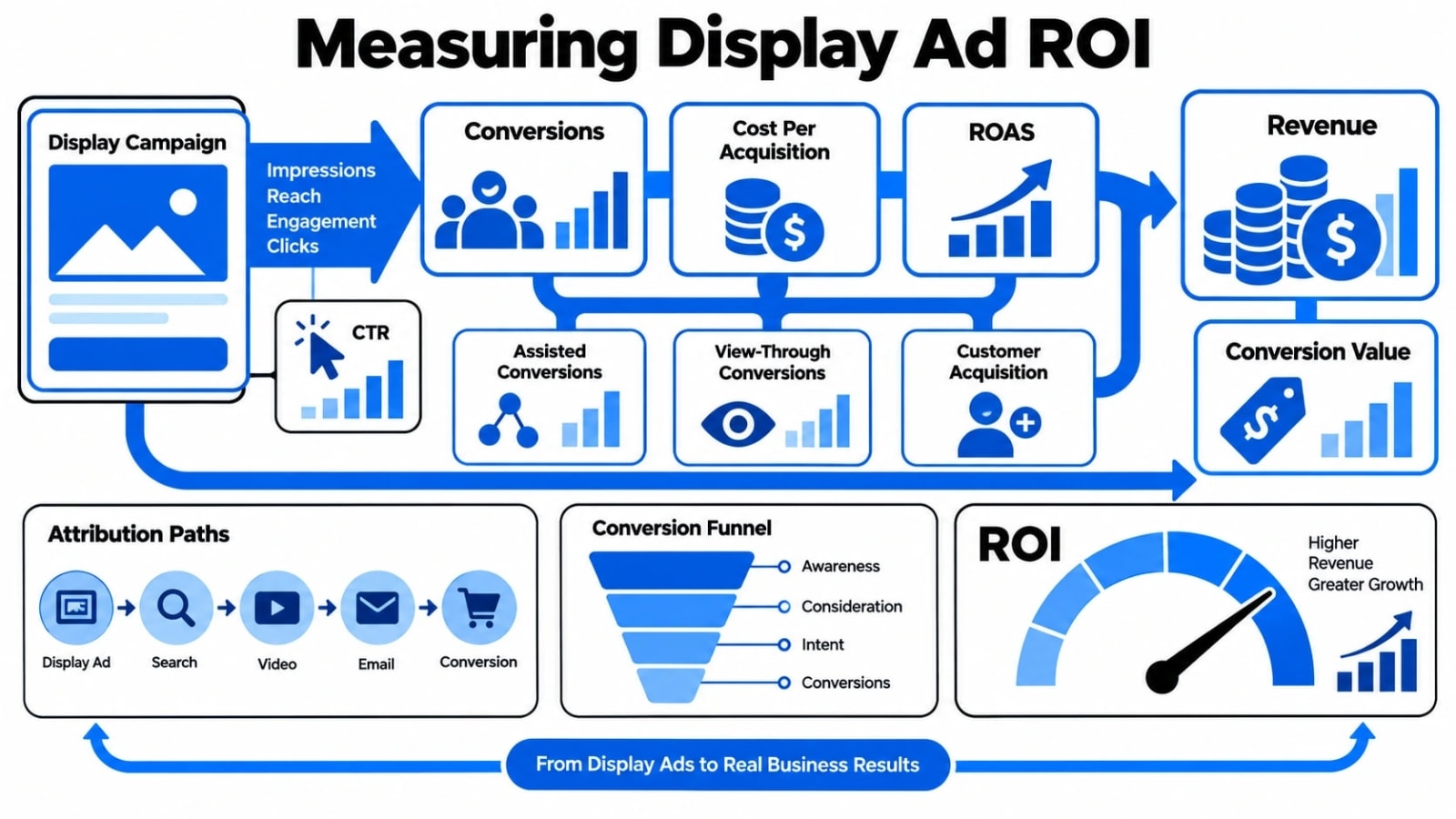
Click-through rate is one of the most misleading metrics in display advertising. A campaign can carry a 0.05% CTR and still generate significant revenue through view-through conversions, assisted conversions, and brand recall. If you are optimizing purely for clicks, you are likely cutting campaigns that are quietly doing their job.
Shifting your measurement framework means tracking what actually connects ad exposure to business outcomes. Here is what to monitor instead:
View-through conversions: These track users who saw your ad but didn't click and later converted through another channel. Google Ads reports these separately, revealing the true influence of display impressions on your funnel.
Assisted conversions: Use Google Analytics 4 to examine the multi-touch attribution path. Display ads frequently appear early in the customer journey, warming up audiences before a search ad or direct visit closes the deal.
Post-impression traffic lift: Compare branded search volume and direct traffic during active display campaigns versus paused periods. A meaningful lift confirms that display exposure is driving awareness even without direct clicks.
Cost per acquisition (CPA) at the campaign level: Calculate total spend against total conversions, including assisted conversions, rather than relying only on last-click data.
Return on ad spend (ROAS) with adjusted attribution windows: Extend your attribution window to 30 days for display campaigns, since the purchase cycle for most products is longer than a single session.
The table below compares common display ad metrics and how each one should inform optimization decisions:
Metric | What It Measures | Best Used For | Limitation |
|---|---|---|---|
CTR | Direct engagement rate | Creative testing | Ignores view-based impact |
View-Through Conversions | Post-impression influence | Awareness campaigns | Risk of double-counting |
Assisted Conversions | Mid-funnel contribution | Full-funnel attribution | Requires GA4 setup |
CPA | Cost efficiency per conversion | Budget decisions | Varies by attribution model |
ROAS | Revenue returned per dollar spent | Profitability analysis | Needs accurate revenue tracking |
Setting up proper conversion tracking in Google Ads and linking it with GA4 is non-negotiable for accurate ROI data. Without it, you are making optimization calls based on incomplete information, and your best-performing display campaigns may be the first ones you pause.
Conclusion
Google Display Ads can generate real, measurable ROI when they are built on the right foundations. That means pairing smart audience targeting with creative that earns attention, keeping placements clean and brand-safe, choosing bidding strategies that match your funnel stage, and measuring success through metrics that reflect actual business outcomes rather than surface-level engagement numbers. Each of these elements works together, and neglecting any one of them tends to drag down the rest.
If your current display campaigns are falling short, the fix is rarely a bigger budget. It is almost always a more deliberate strategy. Start by auditing your audience segments, reviewing your placement exclusions, and setting up view-through and assisted conversion tracking. Small, methodical improvements in each area compound quickly, and the brands that build this discipline into their process consistently outperform those chasing quick wins. If link-building and broader digital authority are part of your growth plan alongside paid media, a specialist like Marketing Lad can reinforce the organic side of your strategy while your display campaigns drive visibility at scale.
Frequently Asked Questions
What is a good CTR for Google Display Ads?
The average CTR for Google Display Ads sits around 0.35%, though this varies by industry and ad format. Rather than chasing a high CTR, focus on view-through conversions and assisted conversions, which better reflect how display ads influence purchasing decisions across longer customer journeys.
How long should I run a display campaign before evaluating performance?
Give display campaigns at least 30 days before making major optimization decisions. Display advertising operates on longer attribution windows than search, and early data is often too thin to be statistically meaningful. Cutting campaigns too soon is one of the most common reasons brands underestimate display ad ROI.
Should I use responsive display ads or uploaded image ads?
Responsive display ads offer broader reach and automatic asset testing, making them a strong default choice. Uploaded image ads give you precise creative control and work well for brand-sensitive campaigns. Using both in the same campaign lets you gather performance data and decide where to focus creative resources over time.
How do I prevent my display ads from appearing on low-quality sites?
Use placement exclusions to block specific sites and apps, apply content exclusion settings inside your campaign settings, and enable brand safety controls at the account level. Regularly audit your placement reports and add irrelevant or low-performing placements to your exclusion list to keep ad spend focused on quality inventory.
Is remarketing with display ads worth the investment?
Yes. Remarketing consistently delivers higher conversion rates than prospecting campaigns because you reach audiences who already know your brand or product. Even modest remarketing budgets tend to produce efficient CPA results, making it one of the highest-priority segments to activate in any display strategy.