
On this page6
A landing page, also known as a “lead capture page,” “single property page,” “static page,” “squeeze page,” or “destination page,” is a single web page that loads after an online advertisement, marketing campaign, or search engine-optimized search result is selected.
It is a focused platform for users to take specific actions or engage with the advertised content. Ensuring an optimal landing page size, as outlined in the Landing Page Size Guide, is crucial for a seamless user experience and effective online marketing campaigns.
- A landing page typically features targeted sales content that aligns seamlessly with the advertising, search result, or link that led the user there, ensuring a cohesive user experience.
- The primary goal of landing pages is to generate leads by encouraging visitors to complete a specific action, such as filling out a form or signing up for a newsletter.
- The effectiveness of an advertiser’s campaign is often measured by the conversion rate, which is determined by the actions visitors take on a landing page.
- Landing pages can be standalone pages within an organization’s main website, part of a microsite, or both, depending on the campaign’s specific goals.
- Good landing pages are optimized for fast loading times; slow pages can deter potential leads and negatively impact conversion rates.
- Effective landing pages use clear, compelling calls to action (CTAs) that guide visitors toward the desired action, making it obvious what steps they should take next.
- Personalization and A/B testing are key strategies used on landing pages to better meet the target audience’s needs and optimize conversions by testing different versions of content and design elements.
Landing pages are often linked to social media, email campaigns, search engine marketing, high-quality articles, or affiliate programs to improve advertising efficiency. As this is their primary function, it’s crucial to meticulously proofread landing pages to ensure they effectively convert visitors into leads or customers.
If the objective is lead generation, the landing page will include a way for visitors to contact the company, either by phone or via an inquiry form.
For transactions, the landing page typically features a link to a shopping cart or payment page.
Marketers track the success of an advertisement by analyzing metrics such as click-through and conversion rates generated by this link.
A Virtual Private Server (VPS) environment offers greater scalability and more resources than shared hosting. This enables enhanced flexibility and the ability to manage higher traffic loads and more substantial landing pages.
What Size Should A Landing Page Be?
Even for experienced designers, selecting the right landing page size can be challenging. All site designers struggle with this, but developing landing pages emphasizes it.
The ideal size for a landing page varies based on its purpose. A concise page often works best for straightforward actions like newsletter sign-ups, keeping the content focused and the call to action clear.
For more detailed offerings, such as software downloads or product sales, a longer page that thoroughly explains the benefits and addresses potential questions might be more effective.
Regardless of the page’s length, the key is to ensure it loads quickly, ideally within 2 seconds, to maintain visitor engagement.
When designing your landing page, consider how it appears across different devices. A responsive design that adjusts to the user’s screen size is crucial, ensuring the page looks good on both desktops and mobile devices.
Longer pages can be suitable for mobile users accustomed to scrolling, but always place the most essential information and the call to action above the fold or where they are easily seen while scrolling.
Testing different page lengths and formats can help you find the optimal design for your audience and conversion goals.
What should the pixel size of my standard landing page be?
a. Size of a Desktop Landing Page
When scaling your landing page, targeting the lowest common denominator is more straightforward because of the wide range of sizes and resolutions across desktop and laptop monitors. Although typical screen sizes are increasing, most monitors have a resolution of at least 1024 by 768. On practically every computer monitor, desktop landing pages with a 960-pixel width will display correctly.
- Upon page load, any landing page content with a height of 720 pixels or less will appear safely on the screen.
- Because desktop visitors may scroll down the screen to read more material, the width of a desktop landing page is far more significant than the height.
- You can permanently reduce the page size and relinquish screen space.
b. Making Designs for Mobile Devices
A desktop-optimized landing page may not display correctly on a mobile device, as content may overflow the edges or become too small to read. Mobile devices have small screens with a safe resolution width of 320 pixels.
- While some mobile devices have larger screens, most can display landing pages designed for a 320-pixel width.
- Similar to desktops, the height of mobile landing pages is less critical, but you may fit 426 vertical pixels’ worth of material on the screen at once.
c. Make Tablet Devices Specific
Custom landing pages can be created for tablet websites. However, larger tablet devices will accommodate desktop landing pages with a 960-pixel width.
Landing pages designed for 960-pixel-wide displays will scale down by approximately one-third to fit on smaller tablet screens, which typically range from 7 to 10 inches.
- Designing tablet landing pages at 640 pixels wide and 480 pixels high ensures compatibility across devices, as you can display smaller content on larger screens without compromising quality or readability.
- The 640-pixel width may accommodate both screen sizes, as smaller tablet users may prefer to hold the device in landscape mode, while larger tablet users may opt to use it in portrait mode.
d. Consider using responsive design
By using media queries and the notion of responsive design, how to create a website that dynamically rearranges information to fit the size of the visitor’s screen rather than creating separate landing pages for each type of device.
Landing pages with responsive designs can be configured to shift and resize content based on the resolution range in use, ensuring content looks good on any screen.
Why is choosing the right website image size for the landing page crucial?
You might be wondering why carefully considering the size of your website’s images is crucial. Essentially, the dimensions of your website’s images significantly influence how professionally and credibly you are perceived by others.
Any first-time visitor immediately clicks away from a website if any element, especially the landing page, appears out of place or is structured improperly.
Scam websites are widespread, and establishing confidence online is already challenging. It will be much harder for you to do so if the site’s picture size is incorrect.
On the other hand, selecting the appropriate picture size for your website will instantly give new viewers a favorable impression of your brand.
It will encourage them to return or, at the very least, help your brand’s reputation expand through word of mouth. Therefore, it is crucial to consider image sizes when developing the website, particularly the landing page.
Landing Page of Marketing Lad
The screenshot below shows the landing page of Marketing Lad.

Create the Best Landing Page Images
Below, we have shared some tips to get the best landing page images and increase your conversions:
a. Images and Page Performance
The size of landing page photos, especially when using stock photos, is a crucial factor affecting the page’s performance. Large image files from stock photo collections can significantly slow the landing page’s load time in a prospect’s browser.
The slower the page loads, the more likely the prospect is to leave before seeing your offer, resulting in a missed conversion opportunity.
Google’s Free PageSpeed Insights Tool allows you to test all of your previous landing pages (as well as all of the graphics on those pages).
b. Choosing the Image Dimensions
The size of the image will be the main hindrance to page performance. A common practice is for users to submit huge images (say 2,000 by 2,000 pixels) and then use HTML to ‘size’ them down to 200 by 200 pixels.
The issue is that the browser still downloads a 2,000×2,000-pixel image, which is 10 times larger than needed.
To avoid needing to resize in HTML. Ensure your picture matches the screen’s aspect ratio. Remember that most desktop pages are only 900–1,200 pixels wide, so you should avoid using images wider than 1,000 pixels.
c. Resize the Image on your Landing Page
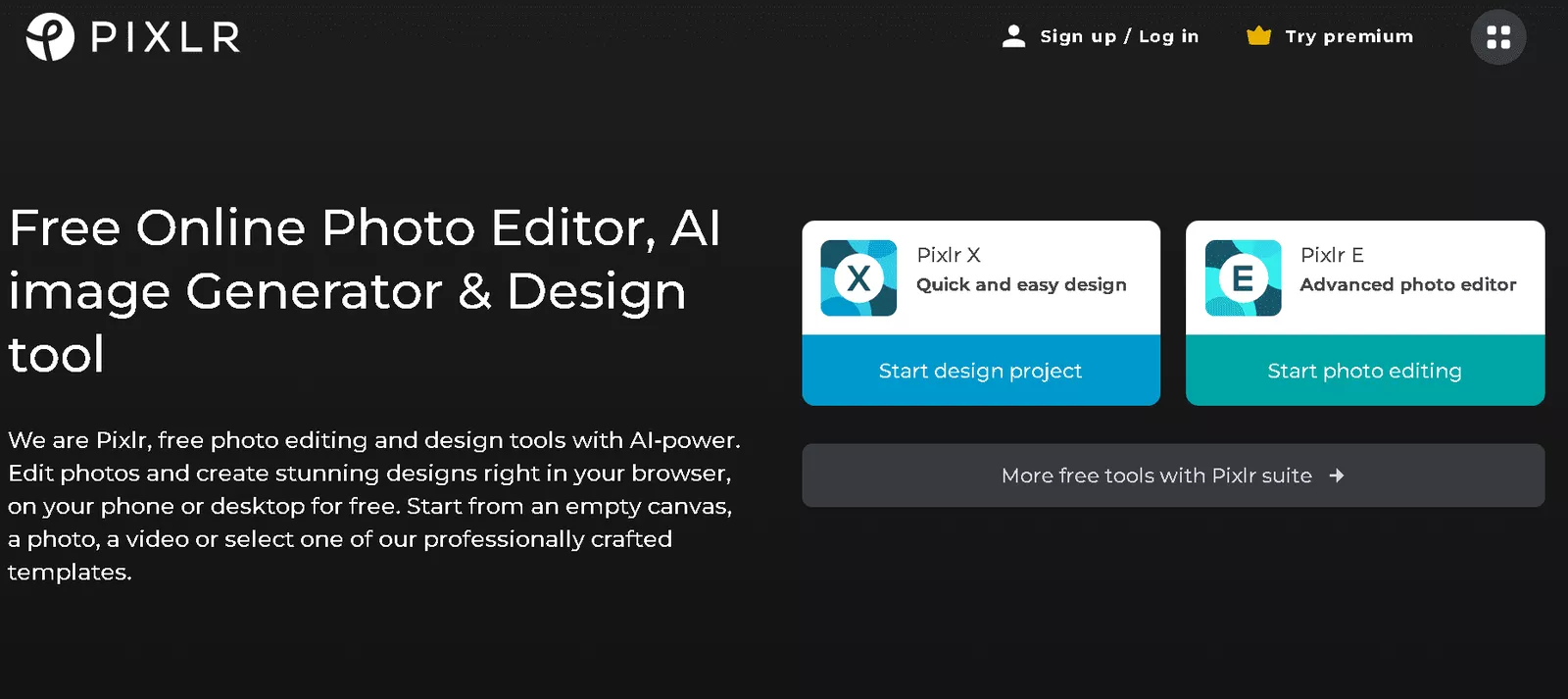
Several online and offline tools are available for this. The free Online Photo Editor from Pixlr.com is one of our favorites.
First, open an image file or URL using the “File” option at the top of the screen. Next, pick “Image size” under “Image” in the top menu. A pop-up window will open, asking for your preferred measurements.
Once you have selected the ideal picture size, keep “Constrain proportions” chosen to prevent the image from being distorted. Click “Save” in the “File” option to save the image to your computer.
d. Image Dimensions for Social Networks
When resizing your photographs, ensure they are optimized for social sharing. Each social networking site has specific picture dimensions requirements.
- Facebook advises that photos be at least 600 by 315 pixels.
- Twitter recommends only images larger than 60 × 60 pixels.
- Images for LinkedIn should be no larger than 180 x 110 pixels.
When someone shares your landing page on social media, these photos will be used. You can perceive their significance.
A nifty tip is to consistently track your mentions across the web with a brand monitoring tool. Also, with a screenshot API tool in place, you can screenshot social media posts or comments and store the final images on your preferred cloud storage screenshots
e. Image Compression
To speed up page loading, compress your photos. Now that they are the proper size and style.
f. Create Image Alts
You must set the alt tag for an image on your landing page. For readers who cannot view the picture, the image alt tag provides a descriptive text alternative.
Additionally, alt tags improve SEO. Scanning the keywords in your alt tags helps search engines better understand the content of your photographs. You can specify your alt tags when modifying or selecting an image in most content management systems.
What is Responsive Landing Page Design?
Responsive design refers to landing pages that adapt to a device’s screen size and orientation.
- A responsive landing page can adjust its layout, including font size, images, and other elements, to accommodate the device’s screen size.
- This feature enables users to access content on any gadget, whether a desktop, tablet, or smartphone, while enjoying the best viewing experience.
- By using responsive design! Marketers can ensure their landing page is accessible and usable on all devices without creating separate versions for different screen sizes and orientations.
- This not only enhances the user experience but also has the potential to improve search engine optimization. A single, responsive landing page is favored over separate versions for desktop and mobile devices.
Conclusion
We have provided a detailed outline for optimizing your landing page size. This is one of the most critical factors for improving your conversion rates. Follow this guide to increase your conversions.
Check out our recent blog posts:
- Buzzsumo Alternatives
- What Is Janitor.ai? What Makes It Unique?
- Web Scraping With Chrome – 10 Chrome Add-ons
- Is Google Always Right? The Truth About Google Search
- 50 Welcome Messages Examples For Your Website
- Enterprise SEO ROI Calculator
- Ahrefs Vs Moz – Detailed Comparison 2026
- 13+ Best SERP Tracking Tools You Can Consider in 2026
