On this page15
- What Trust Flow and Citation Flow Mean?
- Where Trust Flow and Citation Flow Come From (Majestic Only)
- How to Check Trust Flow and Citation Flow in Majestic (Step by Step)
- How to Check Trust Flow and Citation Flow for Multiple Sites (Bulk Tools)
- Trust Flow vs Citation Flow (Differences That Actually Matter)
- What’s a Good Trust Flow and Citation Flow Score?
- The TF/CF Ratio Trick (Fast Quality Check)
- Topical Trust Flow: The Metric Most People Ignore
- How to Spot Risky Sites Using TF and CF (Real Red Flags)
- How to Use Trust Flow and Citation Flow for Link Building
- Trust Flow and Citation Flow vs DR, DA and Authority Score
- Common Mistakes When Using Trust Flow and Citation Flow
- Quick Checklist: When a Site Is Worth a Backlink
- Final Thoughts
- Frequently Asked Questions
Trust Flow and Citation Flow are Majestic metrics that help you judge backlink quality and link volume fast. This guide shows how to check TF and CF step by step, how to interpret the numbers and which tools can help when you need bulk checks or quick verification.
Trust Flow and Citation Flow are two of the most useful metrics for judging backlink quality, especially when you’re evaluating guest post sites, link insertions, or competitor domains.
They come from Majestic and they can reveal patterns that DR or DA often miss. In this guide, you’ll learn how to check Trust Flow and Citation Flow, what good scores look like and how to spot risky link profiles before you waste time or money.
Read More On Offshore SEO Services: Scale Rankings, Traffic & Leads Faster
What Trust Flow and Citation Flow Mean?
Trust Flow (TF) is Majestic’s trust score for a website’s backlink profile. It tries to answer a simple question: are the sites linking to you credible, or are they part of a low-quality link neighborhood? Majestic builds TF using a network model that starts from a set of trusted “seed” sites.
If a domain earns links from sites that are close to those trusted sources, its Trust Flow usually climbs. If most links come from thin blogs, link directories, or irrelevant pages, TF stays low, even when the backlink count looks huge.
Citation Flow (CF) is different. It measures how much link equity a site appears to have based largely on link volume and link distribution.
It does not focus on trust as strongly, which is why Citation Flow can rise quickly when a domain gains many backlinks, including weak ones. This is also why CF is easier to inflate with aggressive link building.
In practical SEO terms, TF and CF work best as a pair. Trust Flow tells you if the authority looks clean. Citation Flow tells you how heavy the link profile is.
When CF is high, but TF is low, it often signals a backlink profile built on quantity rather than credibility. When TF is healthy and the topic matches your niche, the site is usually a safer link target.
Read More On: Gym SEO Services That Drive More Membership Sign-Ups
Where Trust Flow and Citation Flow Come From (Majestic Only)
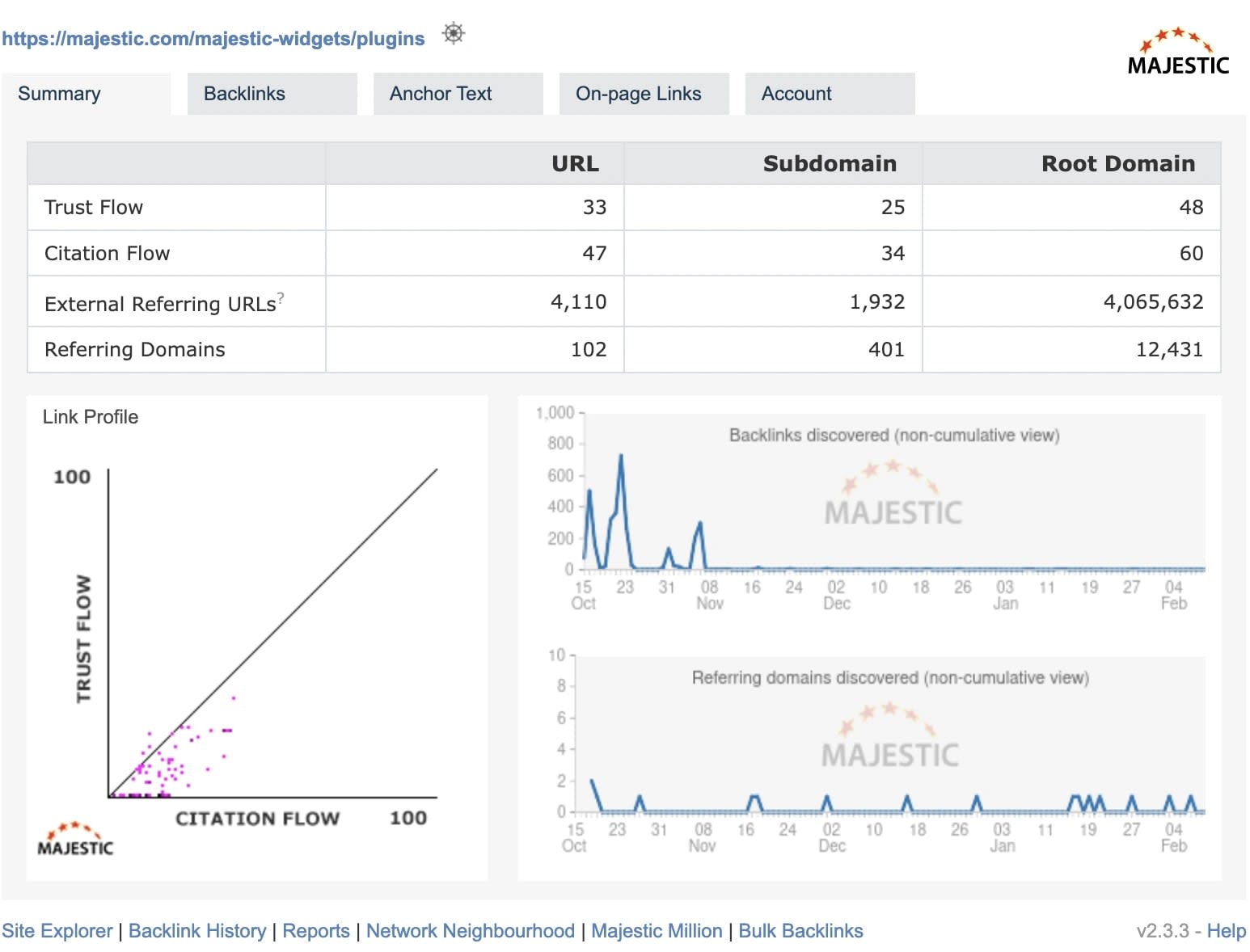
Trust Flow and Citation Flow are not “general SEO metrics.” They are Majestic-only metrics, which matter because it affects accuracy, consistency and how you should interpret them.
Majestic has its own backlink database and its own scoring model. That’s why you will not see Trust Flow or Citation Flow inside Ahrefs, Semrush, Moz, or Ubersuggest. Those tools can show strong backlink insights, but they use different scoring systems:
- Ahrefs uses DR and UR
- Moz uses DA and PA
- Semrush uses Authority Score.
So if someone claims they can show “Trust Flow” without Majestic, what they’re really showing is either:
- a scraped Majestic value (sometimes outdated), or
- a completely different metric labeled incorrectly
Majestic also provides two backlink indexes and this is where many people get confused:
- Fresh Index: focuses on recent backlinks and current link growth
- Historic Index: includes older links and long-term backlink histor.y
If you’re evaluating a site for a guest post, niche edit, or link exchange, Fresh Index is usually the best starting point because it reflects the site’s current backlink health.
Historic Index is useful when you want to spot older spam, expired-domain history, or past link manipulation that may not show up in the fresh view.
Check out our latest blog on Are Naked Links Good for SEO? Find Out
How to Check Trust Flow and Citation Flow in Majestic (Step by Step)
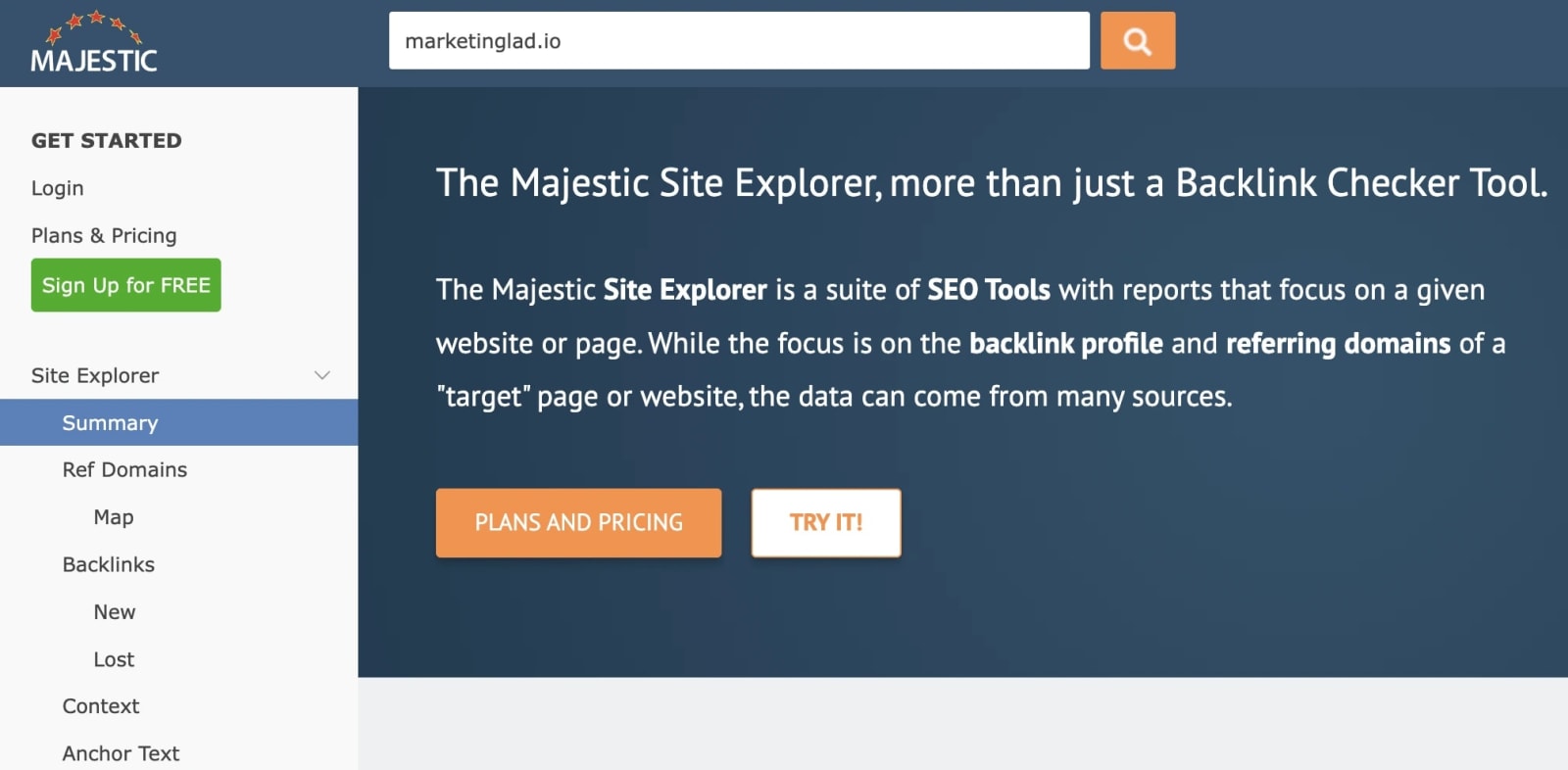
If you want accurate Trust Flow and Citation Flow, Majestic is the cleanest method because it is the source of both metrics. The process is simple, but the details matter, especially if you’re checking a site for link building.
Step 1: Open Majestic Site Explorer
Go to Majestic and use Site Explorer. This is the main tool for checking TF, CF, backlinks and topical trust.
You can check:
- a root domain (example.com)
- a subdomain (blog.example.com)
- a specific URL (example.com/page)
If you are evaluating a website for guest posting, start with the root domain, then check the specific URL where your link will appear.
Step 2: Choose Fresh Index vs Historic Index
Before you interpret the score, pick the right index:
- Fresh Index is best for current SEO decisions
- Historic Index is best for deep background checks.
If a site’s Trust Flow looks good in Historic but weak in Fresh, it can mean the site used to have stronger links but lost them, or the site recently started building lower-quality links.
Check out our latest blog on 75+ Home Improvement Guest Posting Sites (2026 Updated List)
Step 3: Find Trust Flow and Citation Flow

Once the report loads, Majestic will show TF and CF clearly. You should write down:
- Trust Flow (TF)
- Citation Flow (CF)
- Referring domains
- Backlinks
- Topical Trust Flow categories
These five points are enough to make a quick, reliable decision.
Step 4: Check the Exact Page, Not Just the Domain
This is where many people get burned.
A domain can show:
- TF 20
- CF 30
But the blog page where your link will go might be:
- TF 2
- CF 8
This happens when:
- The page has no internal links
- The page is orphaned
- The page is new and has no authority
- The site sells links heavily, so power stays on the homepage
So always paste the exact URL into Site Explorer before paying for a placement.
Step 5: Use Topical Trust Flow as the final filter
After TF and CF, the most useful part is Topical Trust Flow.
If the categories match your niche, the site is usually safer. If they don’t, the backlink trust may be coming from irrelevant sources, which weakens the value of the link even if TF looks decent.
How to Check Trust Flow and Citation Flow for Multiple Sites (Bulk Tools)
If you do outreach, guest posting, or link insertions regularly, checking TF and CF one site at a time becomes slow. This is where bulk tools help, especially when you’re filtering large lists of domains from sellers, marketplaces, or competitor backlink exports.
The key is knowing what bulk tools are good for: fast screening, not final decisions.
Option 1: Majestic Bulk Backlink Checker (Most Reliable)
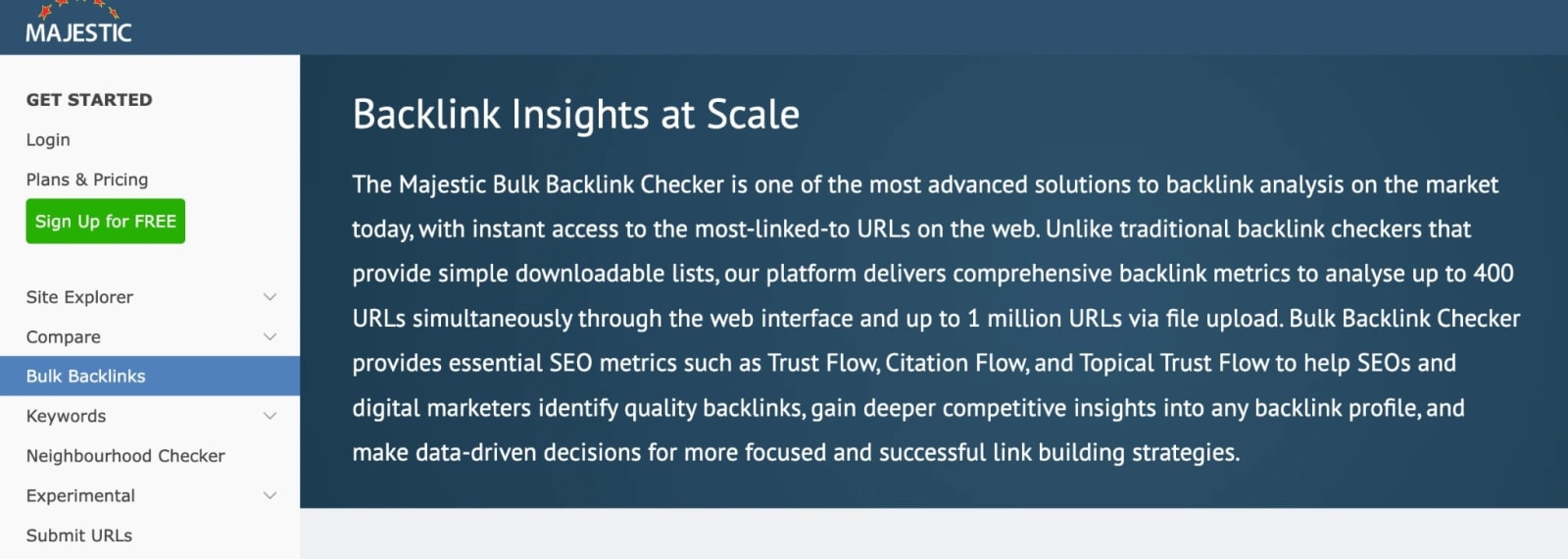
Majestic has a built-in bulk checker that lets you paste a list of domains and export key metrics such as:
- Trust Flow
- Citation Flow
- Referring domains
- Backlinks
- Topical Trust Flow
If you already have a Majestic subscription, this is the best workflow because the numbers are direct from the source.
Option 2: WebsiteSEOChecker Bulk TF/CF Checker (Quick Filtering)

Tools like Website SEO Checker offer bulk Trust Flow and Citation Flow checks that are useful when you need quick filtering, especially for outreach lists.
Use it for:
- screening large lists fast
- sorting out obvious low-quality domains
- spotting CF-heavy, TF-light sites quickly
Do not use it as your final validation step. If a domain looks promising, re-check it in Majestic before you make decisions.
Option 3: Linkody Authority Checker (Good for Multi-Metric Comparison)

Linkody’s authority checker is helpful because it often includes multiple SEO signals in one place, depending on what the tool pulls in.
It’s useful when you want to compare:
- Trust Flow and Citation Flow (if available)
- domain authority-type signals
- backlink overview metrics
It’s not a replacement for Majestic, but it’s a practical layer for bulk shortlisting.
Option 4: SEOInsightTools TF Checker (Useful for Spot Checks)

SEOInsightTools offers a simple TF checker that can help with quick verification, especially when you’re checking a small number of domains.
It works best as:
- a quick second opinion
- a fast check when you’re away from your main tool stack
For serious link evaluation, Majestic is still the final source.
Best Workflow for Bulk Checking (What Actually Works)
If you want a workflow that saves time and avoids mistakes, use this:
- Bulk check 50-500 domains using a bulk tool
- Filter out obvious low TF sites.
- Sort by TF/CF ratio
- Shortlist 10-20 domains
- Validate those domains inside Majesti.c
- Check the exact placement page before paying.
This method prevents you from wasting time on weak site, while still keeping your final checks accurate.
Trust Flow vs Citation Flow (Differences That Actually Matter)
Trust Flow and Citation Flow are often explained like “quality vs quantity,” which is true, but it’s not enough. The real value comes from understanding how these scores behave in the real world, especially when you’re judging link opportunities.
Trust Flow rises when a site earns backlinks from domains that are themselves trusted, or close to trusted sources in Majestic’s link graph. It usually grows slowly because trusted links are harder to get.
When you see a site with strong TF, it often means the domain has earned links from credible websites over time, not just from random blog networks.
Citation Flow rises when a site accumulates backlinks at scale. It reacts quickly to link growth, which makes it useful for identifying domains with a heavy backlink profile. The problem is that CF does not care much about trust, so it can be inflated by low-quality links, including directories, forum profiles, spam comments and paid link networks.
The difference matters most when you’re evaluating guest post sellers. Many sellers push sites with high Citation Flow because it looks impressive.
But a high CF number alone does not tell you if the site is a safe link target. Trust Flow is usually the better signal for whether the backlink profile is built on credibility or just volume.
Trust Flow vs Citation Flow (Quick Comparison Table)
| Metric | What It Reflects | Best Use | What It Can Miss |
| Trust Flow (TF) | Link trust and authority | Checking backlink quality | Can stay low for new sites |
| Citation Flow (CF) | Link volume and influence | Checking backlink scale | Easy to inflate with spam |
The Most Important Takeaway
A good backlink profile usually shows balance. A risky backlink profile often shows a gap.
If you remember only one rule, make it this:
Trust Flow should not look weak next to Citation Flow.
What’s a Good Trust Flow and Citation Flow Score?
This is the question most people ask first and it’s also where most SEO advice becomes misleading. There is no universal “good” Trust Flow or Citation Flow score because TF and CF behave differently depending on niche, link environment and site age.
A TF 15 site in a boring B2B niche can be stronger than a TF 25 site in a spam-heavy niche. That’s why you should judge TF and CF based on how you plan to use the website.
If You’re Buying Guest Posts or Link Insertions
This is the most common use case.
A practical baseline:
- TF 10+ is usually the minimum for safe consideration
- TF 15-25 is strong for most industries.
- TF 30+ is premium, but still needs topical relevance.
For Citation Flow:
- CF is fine even if it’s higher, but it should not look extreme
- If CF is double or triple TF, you need to investigate deeper
If You’re Doing Link Exchanges
For link exchanges, you want a site that is:
- trusted
- relevant
- stable
A reasonable target:
- TF 10-20
- clean topical categories
- no obvious outbound link selling patterns
You do not need high CF here. You need clean trust and niche alignment.
If You’re Auditing Your Own Site
If you’re checking your own domain, TF and CF help you spot link profile problems early.
Examples:
- CF rising fast while TF stays flat can signal low-quality links.
- TF dropping can signala loss of good referring domains.
- Topical categories drifting away from your niche can signal irrelevant links
For your own site, the trend over time matters more than the exact number.
If You’re Comparing Competitors
When comparing competitors, TF and CF are useful for understanding how hard it will be to compete.
If the top 3 competitors have:
- TF 25-40
- strong topical trust
- consistent referring domains
You will likely need stronger authority building to outrank them, even if your content is better.
A Simple Scoring Rule That Works in Most Niches
If you want one simple rule for link-building decisions:
- TF under 10: usually weak
- TF 10-20: decent
- TF 20-30: strong
- TF 30+: high authority
Then use Citation Flow only as a comparison point, not a goal.
The TF/CF Ratio Trick (Fast Quality Check)
If you only have 10 seconds to judge whether a site looks clean or risky, the TF/CF ratio is one of the fastest filters.
The logic is simple:
- Citation Flow can grow fast because link volume is easy to inflate
- Trust Flow grows more slowly because trusted links are harder to earn
So when Citation Flow is far higher than Trust Flow, it often means the site has gained a lot of links without gaining real trust.
What a Healthy TF/CF Ratio Looks Like
A clean profile usually has:
- TF close to CF, or
- TF at least half of CF
Examples of healthy ratios:
- TF 18, CF 22
- TF 20, CF 28
- TF 12, CF 18
These patterns usually indicate a backlink profile with decent trust.
Red Flag Ratio Patterns (Common in Link Farms)
Examples of risky ratios:
- TF 8, CF 35
- TF 10, CF 50
- TF 5, CF 40
This often points to:
- low-quality directories
- spam blogs
- PBN-style networks
- automated link blasts
- foreign forum profiles
One Important Exception
Some large sites, forums and news publishers can show high CF with lower TF, even when they’re legitimate. That’s why the ratio is a filter, not a verdict.
If the ratio looks bad, don’t instantly reject the site. Instead, check:
- Topical Trust Flow
- referring domains quality
- outbound link behavior
- whether the site has real traffic and real content
The ratio simply tells you where to look more closely.
Topical Trust Flow: The Metric Most People Ignore
Topical Trust Flow is one of Majestic’s most useful features and it’s also the one most people skip. That’s a mistake, because topical relevance often matters more than raw Trust Flow.
Topical Trust Flow shows the categories Majestic associates with the site’s trusted backlinks. It does not just describe what the site writes about. It reflects where the site’s authority is coming from.
For example, a marketing website might publish SEO content, but its Topical Trust Flow could show:
- Computers / Security
- News / Media
- Shopping / Fashion
That mismatch often means the backlinks are coming from unrelated sources, which reduces the value of the trust score.
What Good Topical Trust Flow Looks Like
A good link target usually has topical categories that match its content.
If you run a marketing site, strong categories could include:
- Business / Marketing
- Computers / Internet
- Business / Advertising
If you run a cybersecurity site, strong categories could include:
- Computers / Security
- Computers / Software
- Business / IT Services
What a Bad Topical Trust Flow Looks Like
Red flag categories include:
- Adult
- Gambling
- Pharmacy
- Games
- random foreign language topics
Even if TF looks decent, these categories often suggest:
- expired domain repurposing
- heavy paid links
- PBN networks
- unrelated link sources
Why This Matters for SEO
Google cares about relevance and trust, not just authority numbers.
If you place a backlink on a site with mismatched topical trust, the link may:
- pass less value
- look unnatural
- increase risk in a link audit
- fail to support topical authority growth
Topical Trust Flow helps you avoid those mistakes early.
How to Spot Risky Sites Using TF and CF (Real Red Flags)
Trust Flow and Citation Flow are most valuable when you use them as a risk filter. They won’t tell you everything, but they can quickly highlight sites that look “strong” on paper while being poor link targets in reality.
Here are the red flags that show up again and again.
Red Flag 1: Citation Flow Is High, Trust Flow Is Weak
This is the most common pattern in spam-heavy link profiles.
Examples:
- TF 7, CF 32
- TF 9, CF 45
- TF 12, CF 55
It often means the site has a lot of backlinks, but most of them come from low-trust sources.
Red Flag 2: Topical Trust Flow Doesn’t Match the Site
If the site claims to be about business or marketing, but its top categories are:
- Adult
- Gambling
- Games
- Shopping
- foreign language topics
You should treat it as a risky link placement, even if TF is decent.
Red Flag 3: Trust Flow Looks “Okay,” but the Site Sells Links Everywhere
This one is common with guest post farms.
You’ll see:
- TF 15-25
- CF 20-40
But every blog post has outbound links, often to unrelated niches.
Majestic does not directly score outbound link selling, so you still need a manual review.
Red Flag 4: Domain Metrics Look Strong, But the Placement Page Is Weak
Many sellers show domain-level TF and CF because it looks impressive.
But when you check the exact page:
- TF drops to 0-3
- CF drops to 5-10
- No internal links point to the page
This usually means your backlink will sit on a low-authority page that passes minimal value.
Red Flag 5: The Link Profile Looks Artificial Over Time
If you switch between the Fresh and Historic index and notice:
- sudden spikes in referring domains
- sudden drops in trust
- topical categories are changing dramatically
It can indicate:
- link blasts
- lost networks
- domain history manipulation
The Practical Rule
If a site triggers two or more of these red flags, don’t rush into it.
It’s almost always cheaper to skip a risky backlink than to clean up a link profile later.
How to Use Trust Flow and Citation Flow for Link Building
Trust Flow and Citation Flow are not just “SEO numbers.” Used correctly, they help you avoid bad links, choose safer placements and build authority that actually supports rankings.
Here’s how to use them in a link-building workflow that makes sense.
Step 1: Use TF as Your First Filter
When you’re scanning guest post sites, link sellers, or outreach prospects, Trust Flow should be the first metric you look at.
A practical baseline for most niches:
- TF under 10: usually not worth paying for
- TF 10-15: can be okay if relevance is strong
- TF 15+: usually a solid starting point
TF helps you avoid the worst link farms quickly.
Step 2: Compare TF Against CF
Once TF looks acceptable, compare it to Citation Flow.
If CF is far higher than TF, the site might have:
- inflated backlinks
- weak link sources
- automated link building
- expired domain repurposing
If TF and CF are reasonably close, the profile is often cleaner.
Step 3: Check Topical Trust Flow Before You Pay
This is where many people lose money.
If the site’s Topical Trust Flow is unrelated to your niche, the backlink is less valuable, even if TF is strong.
For link building, relevance is not optional. It affects:
- link value
- link safety
- topical authority growth
Step 4: Check the Exact URL Where Your Link Will Go
This is the step that separates smart link building from expensive link buying.
Before you pay, check:
- the domain metrics
- the exact page metrics
If the placement page has weak TF, your link may pass little value, even on a strong domain.
Step 5: Combine TF/CF With Real-World Checks
Trust Flow and Citation Flow should not be your only decision factors.
Before finalizing a link placement, also check:
- Is the site indexed in Google
- Does it have real traffic or visibility?
Doess it publish real content?
Aree outbound links excessive? - Does it look like a guest post farm?
TF and CF help you filter quickly. Manual review prevents expensive mistakes.
Trust Flow and Citation Flow vs DR, DA and Authority Score
One reason Trust Flow and Citation Flow are still popular is that they measure backlink quality in a different way than the “mainstream” metrics most marketers rely on.
DR, DA and Authority Score are useful, but they are not designed to answer the same question that TF and CF answer.
Here’s the simplest way to think about it:
- DR, DA and Authority Score are broad authority estimates
- TF and CF are backlink profile health signals, especially trust vs volume
Comparison Table (What Each Metric Is Best For)
| Metric | Tool | Best For | Weak Spot |
| Trust Flow | Majestic | judging backlink trust | can undervalue newer sites |
| Citation Flow | Majestic | judging link volume | easy to inflate |
| DR | Ahrefs | competitive authority comparison | not trust-based |
| DA | Moz | quick domain scoring | can lag behind real changes |
| Authority Score | Semrush | broad site authority estimate | blends many signals |
Why TF/CF Still Matter for Link Building
Many sites can show:
- DR 50
- DA 45
but still have a messy backlink profile.
TF and CF often reveal that mess quickly.
For example:
- A domain with DR 50 might show TF 9 and CF 42
- that usually signals link inflation
- meaning the authority is not as clean as it looks
This is why experienced link builders still check Majestic before paying for placements.
The Best Metric Stack (If You Want Accuracy)
If you want a realistic view of a domain, combine:
- Majestic TF + CF + Topical Trust
- Ahrefs DR + organic traffic
- a manual review of content and outbound links
That mix gives you the best balance of speed and accuracy.
Common Mistakes When Using Trust Flow and Citation Flow
Trust Flow and Citation Flow are powerful metrics, but they’re easy to misuse. Most mistakes happen when people treat TF and CF like ranking factors, or when they judge a site without context.
Here are the most common errors that lead to wasted money in link building.
Mistake 1: Looking at Citation Flow Alone
Citation Flow can be inflated quickly. A high CF number does not guarantee the backlinks are clean.
If CF looks strong but TF is weak, you should treat the site as suspicious until proven otherwise.
Mistake 2: Ignoring Topical Trust Flow
This is one of the biggest mistakes in modern SEO.
If the site’s trusted categories are unrelated to your niche, your backlink will usually carry less value. In some cases, it can also add risk, especially if the topic mismatch is extreme.
Mistake 3: Checking Only the Homepage
Many guest post sellers show domain metrics because they look impressive.
But your link will usually be placed on a blog post URL. That page might have:
- low TF
- weak internal links
- poor crawl depth
- no authority
Always check the exact placement URL.
Mistake 4: Assuming High Trust Flow Means the Site Is “Safe”
Some sites have strong TF because they inherited backlinks from:
- expired domains
- old brand mentions
- legacy links
But the current site may still be selling links heavily or publishing low-quality content.
TF is helpful, but it is not a guarantee.
Mistake 5: Not Checking Indexing and Real Visibility
A site can show decent TF and CF and still be:
- barely indexed
- devalued by Google
- full of thin pages
- losing traffic
Always do a quick Google index check and a visibility review before paying for a link.
Mistake 6: Using TF/CF as a “Goal” Instead of a Filter
Trust Flow and Citation Flow are best used to filter and compare.
They are not the goal of SEO. The goal is:
- rankings
- traffic
- conversions
- revenue
TF and CF help you avoid weak link choices, which supports the real goal.
Quick Checklist: When a Site Is Worth a Backlink
If you want a fast, repeatable way to decide whether a site is worth a guest post, niche edit, or outreach effort, this checklist works well for most industries.
Use it as a scoring filter before you spend money or time.
Trust Flow and Citation Flow Checks
- Trust Flow is 10+ (15+ is better for paid placements)
- Citation Flow is not wildly higher than TF.
- TF/CF ratio looks reasonable (TF is at least half of CF)
Topical Trust Flow Checks
- Top categories match your niche.
- No obvious red-flag categories (adult, gambling, pharmacy)
- The site’s backlink trust looks relevant, not random
Placement Page Checks
- The exact page where your link will go has measurable TF/CF.
- The page is indexed in Google
- The page has internal links pointing to it.
- The page does not look like a guest post dumping ground
Real-World Quality Checks
- Content looks written for humans, not SEO stuffing.
- Outbound links are not excessive
- The site has a real structure (categories, internal linking, navigation)
- It does not publish dozens of unrelated guest posts per week
A Simple Rule That Saves Money
If a site fails three or more checks, skip it.
There are always better link opportunities than a domain that looks questionable from the start.
You can also explore how modern AI systems cite and reference content in our guide on AI Citations.
Final Thoughts
Trust Flow and Citation Flow are not perfect metrics, but they are still some of the fastest ways to judge backlink quality before you invest time or money.
The key is using them together, not in isolation. Trust Flow helps you spot whether a site’s authority is built on credible links, while Citation Flow shows how heavy the backlink profile is.
When you also review Topical Trust Flow and check the exact placement page, you avoid most costly link-building mistakes.
If you’re serious about link quality, learning how to check Trust Flow and Citation Flow properly is worth it.
Frequently Asked Questions
You can find limited estimates using third-party checkers, but Majestic is the source for TF and CF.
Because Citation Flow grows with link volume, while Trust Flow grows mainly through trusted, high-quality backlinks.
For most niches, TF 10+ is a safe baseline, while TF 15-25 is strong for paid placements.
No. Trust Flow is a third-party metric, but it can help you judge backlink quality that influences rankings.
Topical Trust Flow shows which categories a site’s trusted backlinks come from, helping you judge relevance and risk.